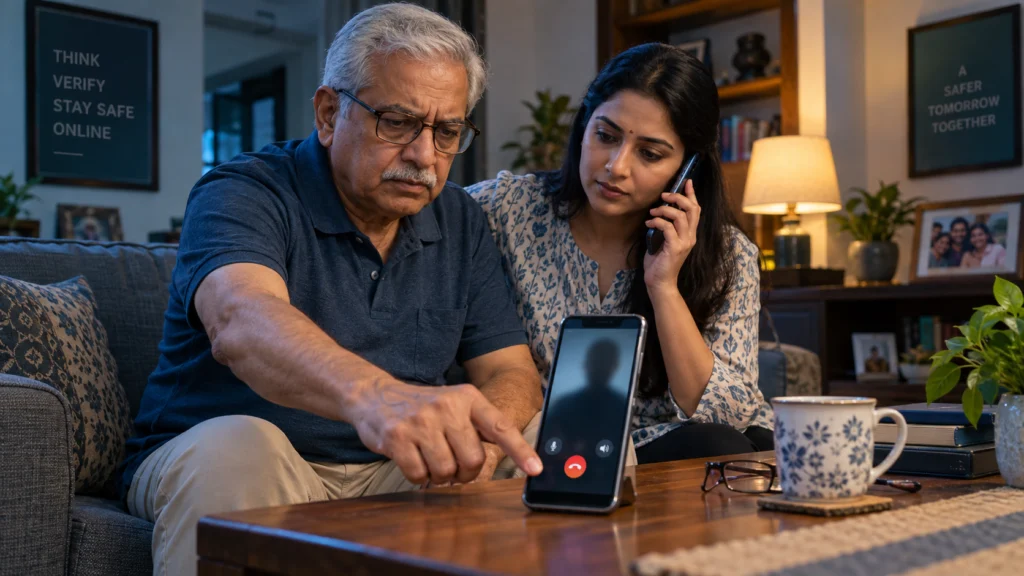
Fact check: There is no lawful system in India that places a person under “digital arrest” through a phone or video call. A caller who claims you must remain on camera, keep the call secret, transfer money to a “safe account” or prove innocence by paying is running an impersonation and extortion scam. End the contact, do not transfer money, tell someone you trust, and report financial cyber fraud immediately through 1930 and cybercrime.gov.in.
Verified from: Ministry of Home Affairs, Indian Cyber Crime Coordination Centre, Central Bureau of Investigation and Press Information Bureau material checked 15 September 2026.
Digital-arrest fraud succeeds by creating fear and isolation. The criminal may know the victim’s name, address, Aadhaar fragment, recent purchase or family detail. That information can make the story sound official, but it does not prove the caller is a police officer, CBI official, RBI employee, customs officer or judge.
Official alerts describe callers impersonating police, CBI, narcotics, RBI and other agencies. They may use uniforms, fabricated documents, fake police-station backgrounds and video-conferencing accounts. The performance is designed to stop the victim from checking independently.
What is a digital arrest scam?
A digital arrest scam is an organised impersonation fraud in which criminals falsely accuse a person of involvement in a crime. Common stories include a parcel containing illegal goods, a mobile number linked to money laundering, a bank account used for terrorism, an Aadhaar identity involved in a loan, or a family member supposedly detained.
The caller then manufactures a remote “investigation.” The victim may be ordered to join a video call, show a room, read messages aloud, disclose bank information or stay visible for hours. The criminal calls this surveillance, custody, verification or digital arrest. The purpose is to isolate, frighten and extract money or credentials.
A 2026 CBI case described by PIB involved a senior citizen allegedly coerced into transferring ₹25.65 lakh after callers impersonated security and counter-terrorism agencies and claimed her account was linked to terrorism. The details illustrate the method; they do not mean every victim will see the same script.
The core fact: no arrest happens this way
The Government’s public awareness message is unambiguous: there is no system like digital arrest in law. A genuine investigation does not require an accused person to transfer savings to a private or temporary account to prove innocence. Courts do not conduct secret payment tests over messaging apps.
This does not mean a real agency can never call a citizen. It means identity and claims must be verified through independently found official contact details, and lawful procedures do not include secret “safe account” transfers, OTP collection or continuous video detention.
Warning signs of a digital arrest fraud
- The caller creates urgency: “Act now or you will be arrested.”
- You are told not to speak to family, a lawyer, your bank or local police.
- The caller moves the conversation to WhatsApp, Skype, Telegram or another video platform.
- A uniform, government-looking office or fabricated warrant is shown on camera.
- You are asked to keep the camera and microphone on continuously.
- The criminal asks for Aadhaar images, bank statements, card details, PINs, passwords or OTPs.
- You are ordered to transfer money to a “safe,” “verification,” “RBI,” “court” or “escrow” account.
- A caller ID, profile photo or email resembles an agency but cannot be verified independently.
- Threats involve parcel seizures, narcotics, money laundering, terrorism or identity misuse.
- The caller discourages you from ending the call to verify the allegation.
One sign is enough to stop and verify. Do not stay in the call while searching for proof supplied by the caller; they may send fake websites and phone numbers.
What to do while the scam call is happening
- Stop. Do not argue, confess, pay or follow screen-sharing instructions.
- Disconnect. End the call or video session. A threat that you may not hang up is itself a warning sign.
- Do not open links or install apps. Remote-access software can expose messages and bank apps.
- Tell another person. Fraudsters depend on secrecy. Call a family member, colleague, lawyer or local police station using a trusted number.
- Verify independently. Find the agency’s official website yourself. Do not use the number or link sent by the caller.
- Protect accounts. If credentials or screen access were exposed, use a clean device to contact the bank and secure important accounts.
- Report. Call 1930 and file a complaint at the National Cyber Crime Reporting Portal.
If no money was transferred
You should still preserve useful evidence and report the attempt. Save the calling number, profile, date, time, platform, account details requested, and any fake notice. Block the account after the evidence is preserved. Review whether personal information, an OTP or screen access was exposed.
If you installed remote-access software, disconnect the device from sensitive accounts and obtain trusted technical help. Merely uninstalling an app may not resolve every permission or credential exposure. Change important passwords from a clean device, starting with email and banking, and enable secure multi-factor authentication.
If you already transferred money
Speed matters. The Citizen Financial Cyber Fraud Reporting and Management System is designed to support immediate reporting and attempts to stop funds from being moved further. Recovery is not guaranteed, but delay reduces the opportunity for banks and authorities to act.
- Call the national cybercrime helpline 1930 immediately.
- Contact your bank through the official number on its website, app or card and report an unauthorised or fraud-induced transfer.
- Record the complaint number, bank ticket and time of each report.
- Submit the full complaint at cybercrime.gov.in.
- Provide transaction references, beneficiary account details and evidence requested through the official process.
- Report to the nearest police or cybercrime unit when advised or when threats continue.
- Secure banking, email, telecom and messaging accounts from a clean device.
Do not send another payment because the fraudster promises to return the first amount. Do not pay a recovery agent who contacts you unexpectedly. A second scam often targets people who are already distressed.
Bank-transfer, UPI and card actions
Tell the bank the transaction resulted from impersonation and coercion, and follow its fraud-reporting process. For a UPI transfer, record the UTR or transaction ID and the recipient VPA. For a card transaction, ask the issuer to block or replace the card and raise the appropriate dispute. For net banking, secure the login and registered contact details.
A failed transaction follows different reversal rules. Our UPI failed-transaction refund guide explains technical failures; a completed payment sent to a fraudster must be reported as cyber fraud, not treated as a routine failed UPI transaction.
Evidence to preserve
- phone numbers, email addresses and messaging usernames
- call logs and video-call details
- screenshots of threats, profiles and fake notices
- links and filenames, without reopening suspicious files
- beneficiary name, bank, account number, IFSC or VPA shown in payment records
- transaction ID, UTR, amount and exact time
- 1930 acknowledgement and portal complaint number
- bank complaint or dispute reference
- a chronological note of what the caller said and what information was disclosed
Preserve original evidence where possible. Do not edit screenshots in a way that removes dates or account details needed by investigators. At the same time, do not post unredacted bank or identity information publicly on social media.
How scammers make the call look official
Caller-ID spoofing
The displayed number or name can be manipulated. Treat caller ID as a clue, not authentication.
Fake documents
Logos, seals, case numbers and signatures can be copied or generated. Verify a notice through the issuing agency using independently found official details.
Leaked personal data
A criminal may quote real information from a breach, public record, social media or earlier phishing. Knowledge of your name or Aadhaar details is not proof of official authority. See our Aadhaar update and safety guide for official correction routes.
Pressure and isolation
The fraudster alternates threats with reassurance: cooperate, stay secret and the case will disappear. A genuine verification should survive independent checking; secrecy is designed to prevent it.
How families can protect senior citizens
- Agree that no family member will transfer money during a threatening call.
- Create a rule to call one trusted person before any urgent payment.
- Save the bank’s official fraud number and 1930 in the phone.
- Review remote-access and screen-sharing apps.
- Use transaction alerts and sensible account limits.
- Practise a simple response: hang up, call family, verify, report.
Avoid blaming a victim. Shame delays reporting. Focus first on contacting 1930, the bank and law enforcement, then secure accounts and document the event.
Common myths
“If the caller knows my Aadhaar number, the case must be real.”
False. Personal data can be leaked or obtained through phishing. Verify independently.
“RBI keeps a safe account for citizens under investigation.”
False. A demand to transfer savings for verification is a fraud signal.
“Staying on video proves I am cooperating.”
False. Continuous video presence is a coercive tactic described in official alerts.
“The police will arrest me if I hang up.”
A genuine legal process does not depend on remaining in a private video call. End the call and contact the real agency independently.
“Money can always be recovered after calling 1930.”
No recovery is guaranteed. Immediate reporting improves the possibility of intervention but outcomes depend on fund movement and investigation.
What does not change
Real law-enforcement notices and investigations should not be ignored. The safe response is not to dismiss every official communication; it is to verify the communication through independent official channels and obtain legal advice where appropriate. Never use contact details supplied only by the threatening caller.
Reporting on cybercrime.gov.in does not automatically replace every step required by the bank, police or court. Follow the official acknowledgement and agency instructions.
Official sources
- Ministry of Home Affairs alert on blackmail and digital-arrest impersonation
- Government awareness message: Stop, Think, Take Action
- CBI 2026 digital-arrest case and public advisory
- National Cyber Crime Reporting Portal advisories
- National Cyber Crime Reporting Portal
Frequently asked questions
What is the cybercrime helpline number in India?
The national helpline for reporting financial cyber fraud is 1930. Use cybercrime.gov.in for the online complaint.
Can police arrest someone on WhatsApp or Skype?
No legal “digital arrest” is conducted by keeping a person on a private video call. Verify any real claim through the agency’s official channels.
Should I block the caller immediately?
First preserve useful evidence, then block the account. If the call is active, disconnect without continuing the conversation.
What if I shared an OTP but no money has moved?
Contact the relevant bank or service immediately, secure the account from a clean device and report the incident. Do not wait for a debit alert.
Can DigiLocker or a digital document prove the caller is genuine?
No. A document or screenshot shown by the caller can be fabricated. Independently contact the alleged issuing authority. Our DigiLocker validity guide explains issued-document verification.
Emergency checklist
- End the threatening call.
- Do not transfer money or share credentials.
- Tell a trusted person.
- Call 1930 immediately if money or banking data is involved.
- Notify the bank using an official number.
- File at cybercrime.gov.in.
- Preserve evidence and complaint references.
- Secure email, banking and messaging accounts.
For more verified money-safety coverage, browse RBI & Banking and Insurance & Payments.
Effective date: Current public-advisory guidance checked 15 September 2026. Last verified: 15 September 2026.
Correction history: No material correction recorded.
Independence and safety disclaimer: This article provides general fraud-prevention information, not legal advice or a guarantee of fund recovery. Use official bank, cybercrime and law-enforcement channels for your case.
Keep the bank report and scam report together
After making any urgent reports described above, organise a dated record with the banking complaint evidence checklist. The sample bank complaint letter can help explain the unresolved bank-side issue. A letter does not replace immediate fraud reporting or promise recovery.
Leave a Reply