Short answer: Google Forms response privacy depends on more than whether you ask for a name. Check respondent access, email collection, the results-summary setting, collaborator access and any linked spreadsheet before sharing a survey. Test what an ordinary respondent can see after submission, and review exported reports separately.
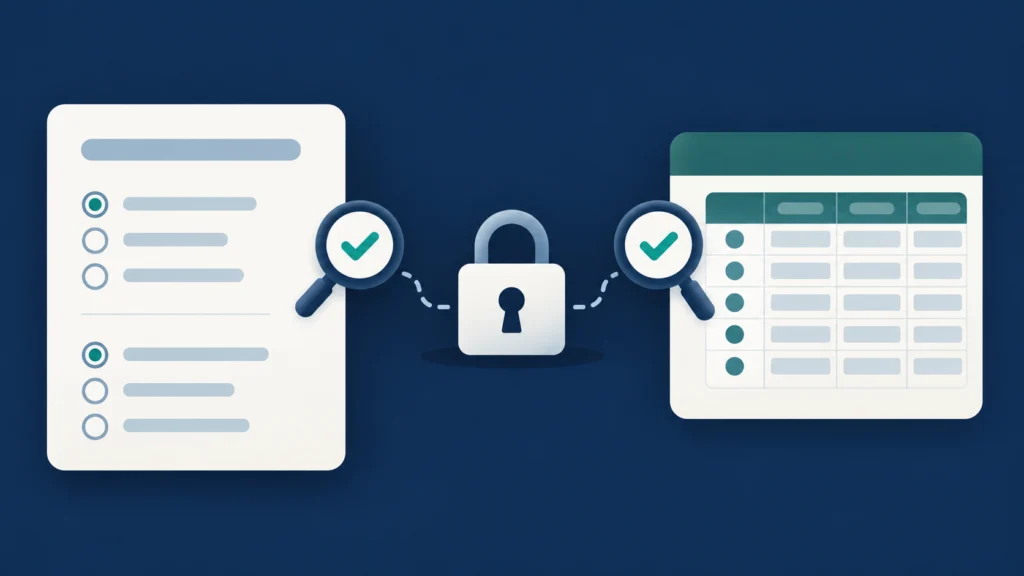
This guide is for Indian teachers, community organisers and small teams collecting ordinary feedback or registrations. It covers Google Forms settings and a practical review method. It does not certify legal compliance or make a survey anonymous merely because one switch is off. Work or school administrators may control which sharing options are available.
Begin Google Forms response privacy with the audience
Write down who should answer and who should manage the answers. These are different responsibilities. Participants in a public workshop may need a responder link, while two authorised organisers need access to the working dataset. Giving everyone the same link without checking its role can confuse collection with administration.
Google’s publishing and responder-sharing guide explains that a form must be published before responders can access it. Its current interface offers responder-access controls through Publish and Manage. Publishing does not mean every intended recipient necessarily has access: inspect the selected audience and organisational restrictions.
Use the intended responder link in invitations and test it with a representative account. A preview opened by the owner is useful for wording, but it does not establish what another person can access. Keep the invitation clear about the survey’s purpose, its organiser and any response date you have chosen.
Do not describe a link as private simply because it was sent to a small group. Consider where recipients might forward it and what audience restrictions are actually enforced. For a public collection, design the questions on the assumption that the response route could reach someone outside the original invitation list.
Separate sign-in from email collection
A Google sign-in requirement and recording an email address are separate questions. Google’s sharing guide explains that limiting a person to one response requires sign-in, while usernames are not recorded unless the email-collection setting is enabled. Inspect both controls rather than inferring one from the other.
Google’s response-management documentation distinguishes verified email collection from responder-entered email addresses. Verified collection uses the respondent’s Google Account email with a confirmation. Manual input asks the respondent to supply an address. A typed address should not be treated as proof that the person controls that mailbox.
Decide why you need an email before enabling collection. If it is for sending event details, explain that purpose. If you only need a count of preferred sessions, an address may be unnecessary. Do not collect identity information “just in case” and then promise respondents that their answers are anonymous.
Read free-text questions as well. A respondent can identify themselves through a job title, a distinctive incident or a detailed story even when no name field exists. For sensitive feedback, minimise prompts that encourage unnecessary identifying details and have an authorised person review the design before launch.
Inspect the results-summary setting before launch
The results summary is a particularly important exposure point. Google’s publishing guide says response summaries can show full-text answers or charts and are visible to people who can respond when the results-summary option is enabled. Do not turn it on merely because a chart looks useful to the organiser.
Ask whether respondents should see one another’s answers. A public preference poll and a private registration form have different needs. For registration, participants may have no reason to see other people’s contact information or comments. Review the actual questions before deciding whether a respondent-visible summary is appropriate.
If the purpose is to share aggregate findings, prepare a separate reviewed report. Remove identifying details, consider whether small groups make individuals recognisable, and explain the basis of the totals. A dashboard generated automatically from all responses is not a substitute for an editorial privacy review.
Test the post-submission experience, not only the blank form. A respondent may encounter additional links after submitting. Record what the test account can see and compare it with the promise in your introduction. If the settings and the introduction disagree, change the design or the promise before wider distribution.
Check collaborators and the linked spreadsheet separately
A collaborator helping maintain the form has a different role from someone answering it. Review the actual editor list and ask whether each person still needs access. Our Google Drive sharing-permissions guide explains named-user and link-access checks for related files.
Google’s response-destination guide explains that responses can be stored in a linked Sheet. It also notes that collaborators receive access when a new response spreadsheet is created, while subsequent permission changes do not automatically stay synchronised. Review the form and its linked Sheet as separate resources.
For each resource, identify the owner, named people and any broader access setting. Removing a person from the form should not lead you to assume the same person has lost access to the Sheet. Likewise, moving the Sheet into another folder should prompt a review of the effective access available there.
Keep a small access record with the form, spreadsheet and responsible organisers. This is a recommended team practice, not a Google feature or a compliance guarantee. It makes handover easier when an organiser leaves, a volunteer’s role changes or a reused event form inherits old collaborators.
Run a test that answers specific questions
Prepare a test response containing fictional, non-sensitive information. Use the account type your real audience will use where possible. Check opening access, sign-in, email notices, required questions, submission confirmation and any results link. A successful submission only confirms one part of the workflow.
| Check | Question | Evidence to note |
|---|---|---|
| Responder access | Can the intended audience open it? | Account type and visible result |
| Identity | What address or identity is recorded? | Collection setting and test row |
| Summary | Can a respondent see other answers? | Post-submission links |
| Editors | Who can manage the form? | Current authorised list |
| Response Sheet | Who can open the dataset? | Separate spreadsheet permissions |
Compare the stored test response with the information you expected. If a name or email appears unexpectedly, investigate the setting before asking real people to answer. Do not delete genuine responses while cleaning a test dataset. Label test material clearly and handle it according to the organiser’s approved retention practice.
Where organisational restrictions prevent the intended test, consult the responsible administrator. Avoid opening access to everyone simply to solve one person’s sign-in problem. The right remedy might be using the correct organisation account or choosing a different approved collection method.
An illustrative event-feedback review
A community organiser wants feedback on a workshop and an optional contact address for the next event. Before launching, the organiser separates those purposes: attendees can give ordinary session feedback without being required to provide contact details, and the optional contact question explains its intended use.
The organiser keeps the respondent-visible results summary off because free-text comments may include identifying details. Two authorised volunteers review responses, and the form’s linked Sheet is checked separately. A fictional submission tests whether the response route and stored fields match the introductory explanation.
For a public recap, the organiser prepares a reviewed summary of themes and counts rather than publishing the raw response table. This is an illustrative workflow, not a real event, an assurance of anonymity or a legal determination about the organiser’s obligations.
Closing a form does not remove every copy of its data
Google’s current response-management instructions describe controlling whether a published form accepts responses. Use the available owner controls when collection ends, and review the message responders will see. An organiser-chosen closing time is an event instruction, not an official public-service deadline.
Keep collection closure separate from data retention. Review the linked Sheet, downloaded CSV files and reports your team has made. A setting on the form does not recall files already exported or messages already sent. Decide who keeps necessary records and how unneeded copies are handled through your authorised process.
If your team uses more than one survey product, do not copy one product’s permission assumptions into another. Our Microsoft Forms response-versus-editing guide covers that separate service. Check Google Forms’ actual controls even when the overall collection purpose is similar.
Frequently asked questions
Is a form anonymous if I omit the name question?
Not necessarily. Email settings and the content of answers can identify a person. Inspect what is actually collected and avoid making an anonymity promise you have not tested.
Does the owner’s Summary tab mean respondents see results?
No assumption should be made from the owner’s view. Review the respondent-visible summary setting and test what a respondent sees after submission.
Does removing a form collaborator also remove Sheet access?
Google instructs owners to manage the form and linked spreadsheet permissions separately. Verify both before concluding that access has been removed.
Final Google Forms response privacy checklist
Confirm the audience, identity collection, results-summary exposure, editor list and response destination. Test with fictional information, explain the collection purpose and review exports before sharing them. Google Forms response privacy depends on this whole workflow rather than one reassuring setting.
Author: Ajit Naskar. Publication date: 12 October 2026. Updated and last verified: 12 October 2026. Correction history: First publication; no corrections. Feature availability can depend on account and organisation settings. General product guidance, not legal compliance certification. No affiliate links are included.
Leave a Reply